In the cross-border cloud hosting and premium international VPS ecosystem, BandwagonHost (BWH) has established an enterprise-grade reputation powered by massive dedicated bandwidth agreements with tier-1 carriers, including China Telecom CN2 GIA, China Unicom AS9929 (CU Premium), and Japan SoftBank. However, many developers and system administrators encounter questions regarding BandwagonHost’s Fair Share Policy and its CPU limitation rules. Does hitting 100% CPU result in account suspension? How is the rolling 1-hour average calculated? Why do Limited Edition plans carry significantly tighter CPU allowances?
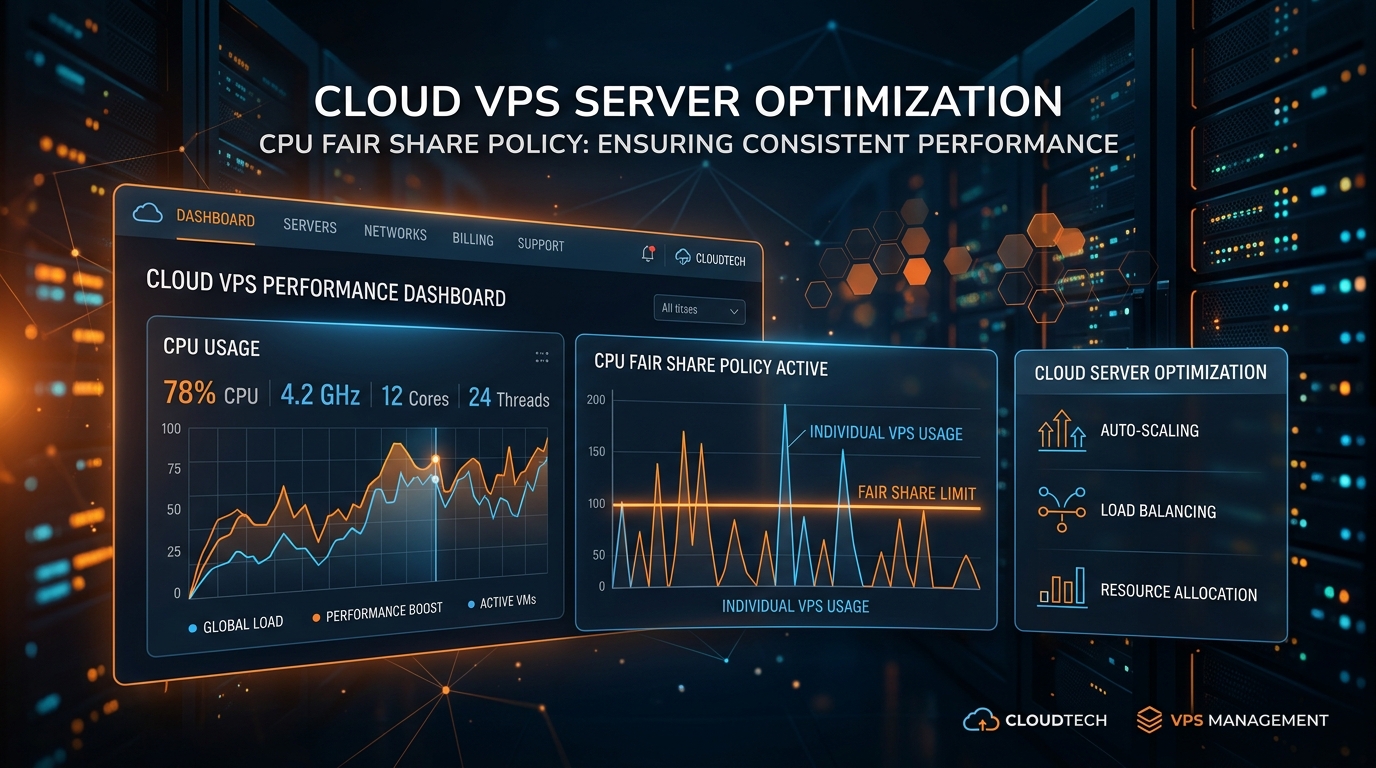
Figure: BandwagonHost Fair Share Policy CPU scheduler and KiwiVM compute governance architecture
💡 Key Takeaways & Peace of Mind:
- No Account Suspension or Extra Fees for CPU Spikes: Even if your average CPU usage exceeds your plan threshold, BandwagonHost simply throttles the vCPU to standard baseline levels. Your server stays online, and normal speeds resume automatically once load normalizes.
- Enforced via Rolling 1-Hour Average, Not Instant Bursts: Short-term bursts to 100% (e.g., compiling dependencies, uncompressing archives, Docker image initialization) are explicitly permitted.
- CN2 GIA Plans Offer 2x to 4x More CPU Than Regular KVM: Premium pricing on CN2 GIA plans provides not only pristine routing but also vastly superior compute quotas per dollar.
- Limited Editions Trade Lower Prices for Tighter CPU: Budget flash-sale models (e.g., MINIBOX, Box series) restrict sustained CPU between 20% and 45%, tailored strictly for light production and microservices.
- SLA Plans Are Completely Exempt: BandwagonHost’s official SLA plans are exempt from Fair Share CPU limits, supporting full 24/7 dedicated core utilization.
1. Understanding the Core Policy: 1-Hour Rolling Average & Core Equivalents
Understanding BandwagonHost’s Fair Share Policy requires decoupling burst capabilities from sustained computational workloads:
1. Bursting to 100% vs. Sustained Compute
Modern virtualization environments understand that application bootstrapping, package updates, and web server startups demand temporary computational bursts. BandwagonHost’s terms explicitly state that short bursts at 100% CPU are fully permitted. For instance, running a 2-core VPS at 100% load for 5 minutes during a build, followed by 55 minutes of idle operation, yields an hourly average of (5 / 60) * 100% = 8.3%—well within all plan guidelines.
2. How “Core Equivalents” Are Calculated
CPU quotas are calculated across the total computational capacity allocated to the VPS rather than locked to a physical core index:
100% of 1 core (1.0 Core Equivalent): If your VPS features 2 vCPUs, you are not restricted to CPU 0. Both cores can run at 50% continuously, or one core can run at 80% while the other runs at 20%, as long as total CPU time does not exceed 3,600 seconds of full compute across the 1-hour window.100% of 1 core + 50% of 2nd core (1.5 Core Equivalents): Equivalent to 1.5 full continuous cores of computing power.
3. The Role of Shared Hypervisor Protection
Because multiple virtual machines share underlying enterprise AMD EPYC or Intel Xeon host hardware, strict hypervisor cgroup limits prevent “noisy neighbors” from degrading host latency and causing unexpected I/O or thermal throttling for co-located customers.
2. Throttling vs. Disk I/O Penalties: Where the Real Red Line Lies
Many users confuse CPU throttling with account suspension. In reality, BandwagonHost treats CPU overages and disk I/O abuse with fundamentally different mechanisms:
| Resource | Threshold Metric | Enforcement Action | Recovery Process |
|---|---|---|---|
| CPU Usage | Exceeding the 1-hour rolling average core equivalent | No Downtime. No Suspension. CPU is smoothly throttled to the plan’s baseline allowance. KiwiVM dashboard flags a warning. | ✅ Automated Throttling lifts automatically as load drops. No support ticket required. |
| Disk I/O | Sustained read/write throughput exceeding 100 MiB/s for 4+ consecutive hours | Email warning issued. Continued unaddressed saturation gives host the right to temporarily suspend the instance. | ❌ Manual Intervention Requires debugging runaway processes or filing a support ticket. |
⚠️ Essential Pro-Tip on Disk I/O Safeguards:
Typical database and web hosting workloads rarely push beyond 1 to 5 MiB/s sustained I/O. The primary culprits behind 100 MiB/s I/O flags are unthrottled torrenting, runaway debug logs, or malware compromises. Ensuring hardened SSH keys and log rotation prevents unwanted I/O violations.
3. 2026 BandwagonHost CPU Quota Master Reference Matrix
Below is the complete reference table across BandwagonHost’s product catalog:
1. Regular KVM Series (Scaled Linearly by Disk Size)
| Plan Specification | Official 1-Hour CPU Quota | Core Equivalent | Recommended Workload |
|---|---|---|---|
| 5G Plan (Legacy Beta) | 20% of 1 core | 0.2 Cores | Uptime probes, lightweight DNS relay |
| 10G Plan | 25% of 1 core | 0.25 Cores | Personal static blogs, small proxies |
| 20G Plan | 50% of 1 core | 0.50 Cores | WordPress with caching, web scrapers |
| 40G Plan | 75% of 1 core | 0.75 Cores | Production development, eCommerce |
| 80G Plan | 100% of 1 core | 1.00 Cores | Standard production Docker stacks |
| 160G Plan | 100% of 1 core + 50% of 2nd core | 1.50 Cores | Multi-tenant websites, API gateways |
| 320G Plan | 100% of 2 cores | 2.00 Cores | High-concurrency forums & databases |
| 480G Plan | 100% of 3 cores | 3.00 Cores | Compute-intensive backend microservices |
| 640G Plan | 100% of 4 cores | 4.00 Cores | Enterprise-tier database nodes |
| 960G Plan | 100% of 6 cores | 6.00 Cores | High-throughput streaming & message queues |
| 1280G Plan | 100% of 8 cores | 8.00 Cores | Full 8-core compute power cluster host |
2. Los Angeles CN2 GIA-E Series (V3 / V5 / EUNL / DUBAI)
While CN2 GIA-E is renowned for enterprise 2.5Gbps to 10Gbps transit, it also provides 2x to 4x more CPU performance compared to standard KVM plans at identical storage/memory tiers:
| Hardware Configuration | Regular KVM Allowance | CN2 GIA-E Quota | Performance Factor |
|---|---|---|---|
| 10G SSD / 512MB RAM | 17% of 1 core (0.17 cores) | 50% of 1 core (0.50 cores) | ~3.0x Advantage |
| 20G SSD / 1GB RAM | 25% of 1 core (0.25 cores) | 100% of 1 core (1.00 cores) | 4.0x Advantage |
| 40G SSD / 2GB RAM | 50% of 1 core (0.50 cores) | 1.50 Core Equivalents | 3.0x Advantage |
| 80G SSD / 4GB RAM | 1.00 Core Equivalent | 2.00 Core Equivalents | 2.0x Advantage |
| 160G SSD / 8GB RAM | 1.50 Core Equivalents | 3.00 Core Equivalents | 2.0x Advantage |
| 320G SSD / 16GB RAM | 2.00 Core Equivalents | 4.00 Core Equivalents | 2.0x Advantage |
3. Hong Kong HKG & Tokyo TYO Premium CN2 GIA
Tier-1 ultra-low latency routing nodes start at generous baseline compute limits:
- 40G Tier: 100% of 1 core (1.0 Dedicated Core Equivalent)
- 80G Tier: 100% of 2 cores (2.0 Dedicated Core Equivalents)
- 160G Tier: 100% of 3 cores (3.0 Dedicated Core Equivalents)
- 320G Tier: 100% of 4 cores (4.0 Dedicated Core Equivalents)
4. Popular “Limited Edition” Plans: CPU Quota Benchmark
Limited Edition models offer massive bandwidth and premium routes at budget price points. However, strict CPU quotas preserve network economics:
| Limited Edition Plan | Official CPU Quota | Core Equivalent | Tier Rating | Operational Guidance |
|---|---|---|---|---|
| The Plan / The Tokyo Plan v2 | 45% of 1 core | 0.45 Cores | Generous (A+) | The most versatile limited edition. Handles production web apps comfortably. |
| POWERBOX / MEGABOX / SAKURABOX | 30% of 1 core | 0.30 Cores | Moderate (B) | Ideal for small containerized applications, proxies, and web nodes. |
| Freedom Plan / DC6 / DC9 / Amsterdam | 30% of 1 core | 0.30 Cores | Moderate (B) | Excellent for cross-border network acceleration without heavy background compiling. |
| BIGGERBOX / MINICHICKEN | 25% of 1 core | 0.25 Cores | Constrained (C) | Suitable as reliable secondary mirrors or personal static sites. |
| MINIBOX | 20% of 1 core | 0.20 Cores | Most Restrictive (D) | Exceptional affordability, but strictly reserved for lightweight tasks. |
4. Production Workload Compatibility: Safe vs. High-Risk Scenarios
To avoid unexpected throttling, review how common workloads align with BandwagonHost’s compute thresholds:
| ✅ Safe & Recommended Workloads | ❌ High-Risk Compute-Heavy Workloads |
|---|---|
|
|
🛠️ Performance Tuning Tips on Linux:
To run occasional background tasks without exceeding the 1-hour quota:
- Use
cpulimit: Throttle individual task processes viacpulimit -l 25 -p <PID>. - Lower Process Priority: Run batch jobs with
nice -n 19 ./task.shto yield cycles to primary services. - Set Docker Container Limits: Constrain containers using
docker run --cpus="0.30" ...to guarantee compliance.
5. 2026 Recommended BandwagonHost Plan Matrix
Apply official recurring discount coupon code BWHCGLUKKB at checkout for 6.77% off all plans:
| Product Tier | Hardware Specs | CPU Allowance | Port / Bandwidth | Featured Datacenters | Pricing | Direct Order Link |
|---|---|---|---|---|---|---|
| Regular KVM Entry Budget Pick |
1 vCPU 1GB RAM 20GB SSD |
0.50 Core Equiv. (50% of 1 core) |
1 Gbps Port 1TB / Month |
6 Datacenters switchable (US DC2 AO, DC8 ZNET) | $49.99 / Year | Order Plan |
| CN2 GIA-E Flagship Top Recommendation |
2 vCPU 1GB RAM 20GB SSD |
1.00 Dedicated Core (100% of 1 core) |
2.5 Gbps Port 1TB / Month |
12 Datacenters Switchable: US DC6 CN2 GIA-E, DC9, Japan SoftBank, Netherlands 9929 | $49.99 / Quarter $169.99 / Year |
🔥 Order Now |
| CN2 GIA-E High Spec Production Grade |
3 vCPU 2GB RAM 40GB SSD |
1.50 Core Equiv. (High Compute) |
2.5 Gbps Port 2TB / Month |
Full 12-datacenter seamless migration included | $89.99 / Quarter $299.99 / Year |
Order Plan |
| New SLA Plan No CPU Limits |
Dedicated 2 vCPU 1GB RAM 20GB SSD |
Unlimited Compute (Fair Share Exempt) |
2.5 Gbps Port 1TB / Month |
US DC5 SLA Datacenter 99.99% Uptime Guarantee / Free IP swap every 2 weeks |
$65.89 / Quarter $239.99 / Year |
💎 SLA Order |
| Hong Kong HK85 / GIA Ultra-Low Latency |
2 vCPU 2GB RAM 40GB SSD |
1.00 Dedicated Core (Low Jitter) |
1 Gbps Port 500GB / Month |
Equinix Hong Kong Premier Datacenter (10~30ms to Mainland) | $89.99 / Month $899.99 / Year |
Order Plan |
6. Frequently Asked Questions (FAQ)
Q1: Does a temporary 100% CPU spike risk server termination?
A: No. Bursting to 100% CPU is standard and supported for setup and build tasks. BandwagonHost evaluates compute load strictly across a 1-hour rolling average. Even sustained overages simply trigger temporary throttling—never account cancellation.
Q2: How does a dual-core VPS handle a 100% of 1 core quota?
A: The limit measures total cumulative CPU time across all virtual cores. 100% of 1 core equals 3,600 CPU seconds per hour. You can run both cores at 50%, or one core at 70% and another at 30%, without exceeding policy limits.
Q3: Does migrating datacenters via KiwiVM alter my CPU limits?
A: No. CPU quotas are attached to your billing plan specification, not physical datacenter location. Migrating between DC6, Japan SoftBank, and European nodes preserves your exact core allowances.
Q4: How quickly does throttling clear after high load subsides?
A: Throttling lifts automatically once your rolling 1-hour average compute usage returns to allowable thresholds. No support ticket or server reboot is needed.
Q5: What should I choose if I need 100% CPU 24 hours a day, 7 days a week?
A: Choose an official BandwagonHost SLA Plan. These plans explicitly exempt instances from Fair Share restrictions, offering dedicated cores, guaranteed uptime SLAs, and bi-weekly complimentary IP replacements.
No comments yet. Be the first to share your thoughts or questions!